Know who is on site, which vehicle is out and where your equipment is.
On Track is workforce, fleet and asset management for South African businesses. Your team uses the phone app. Managers use the web console.
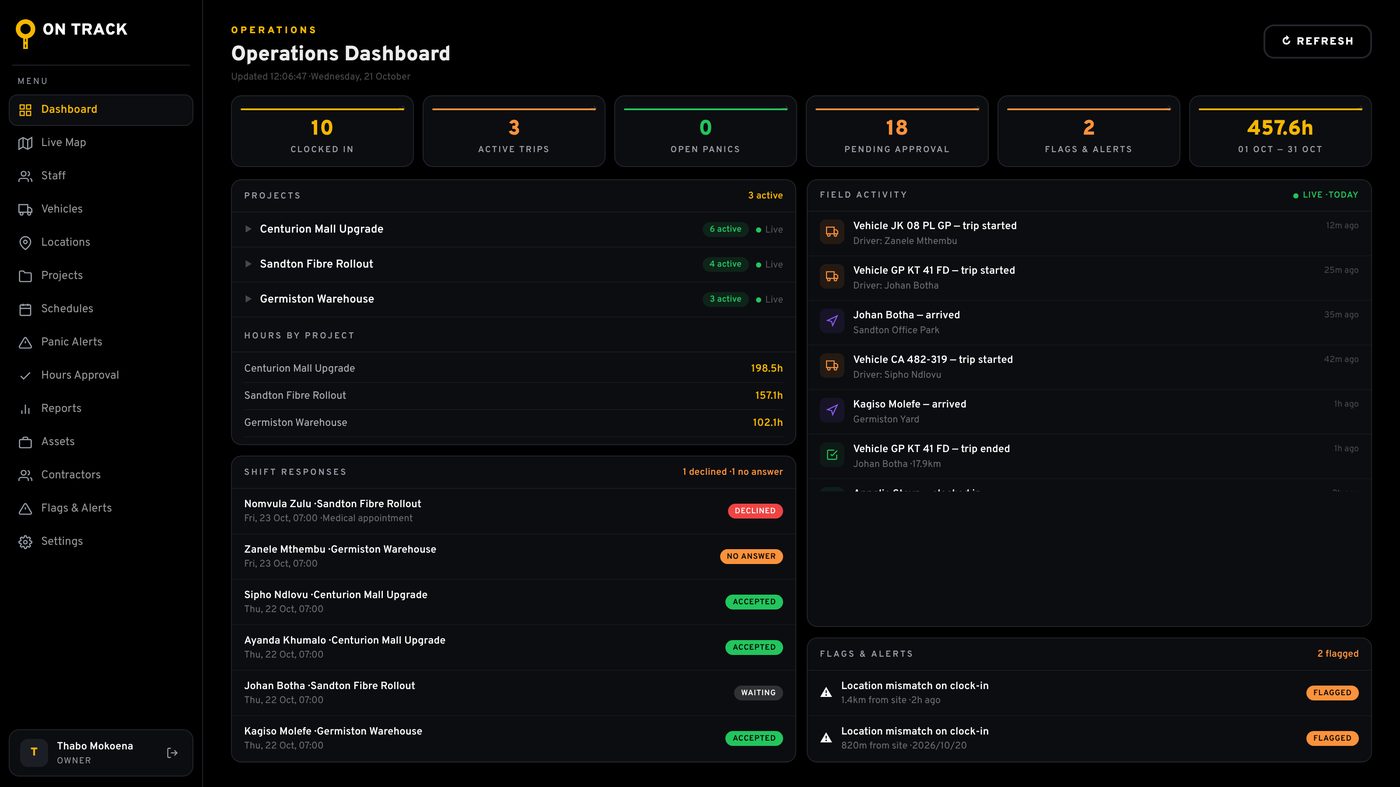
On Track is workforce, fleet and asset management for South African businesses. Your team uses the phone app. Managers use the web console.
Use the part you need now and switch on the rest when you are ready.
Staff clock in and out on their phone. On Track checks the location against the site and flags a clock in that is too far away.
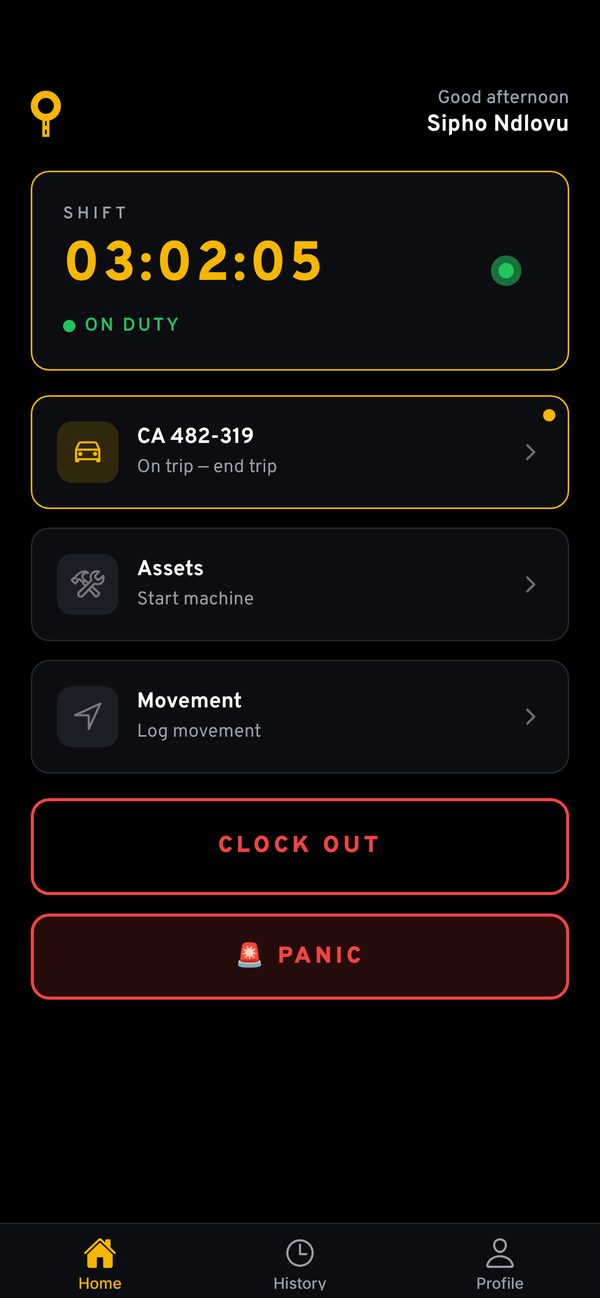
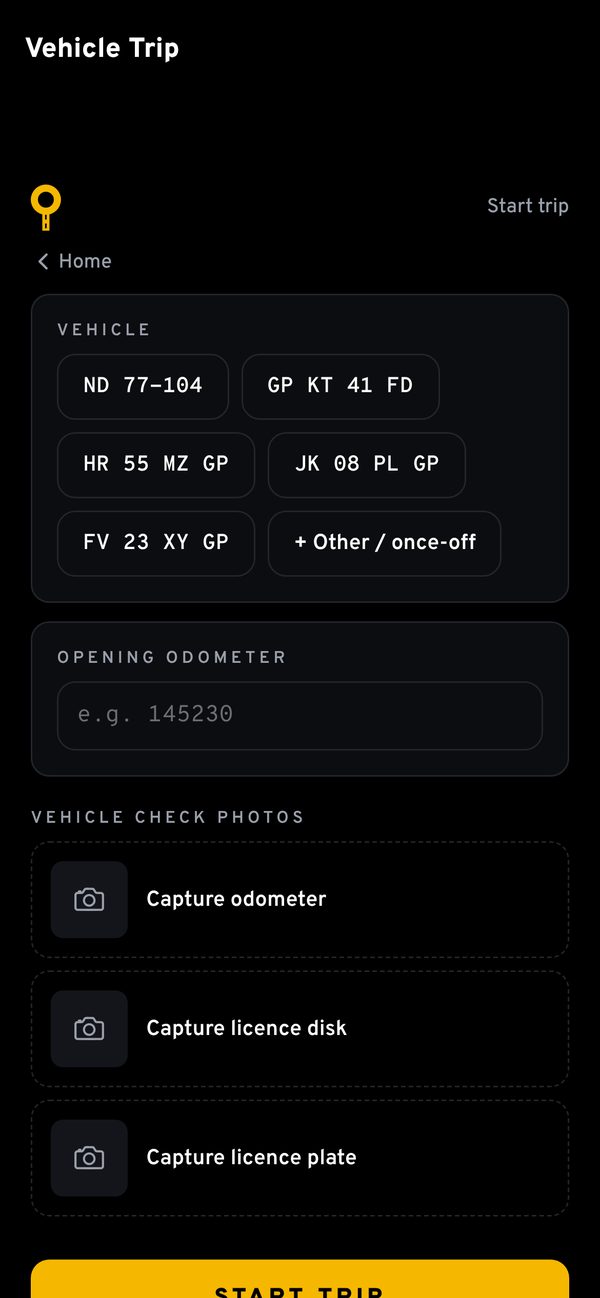
Drivers book a vehicle out with odometer, licence disk and number plate photos. You see who drove what, when and how far.
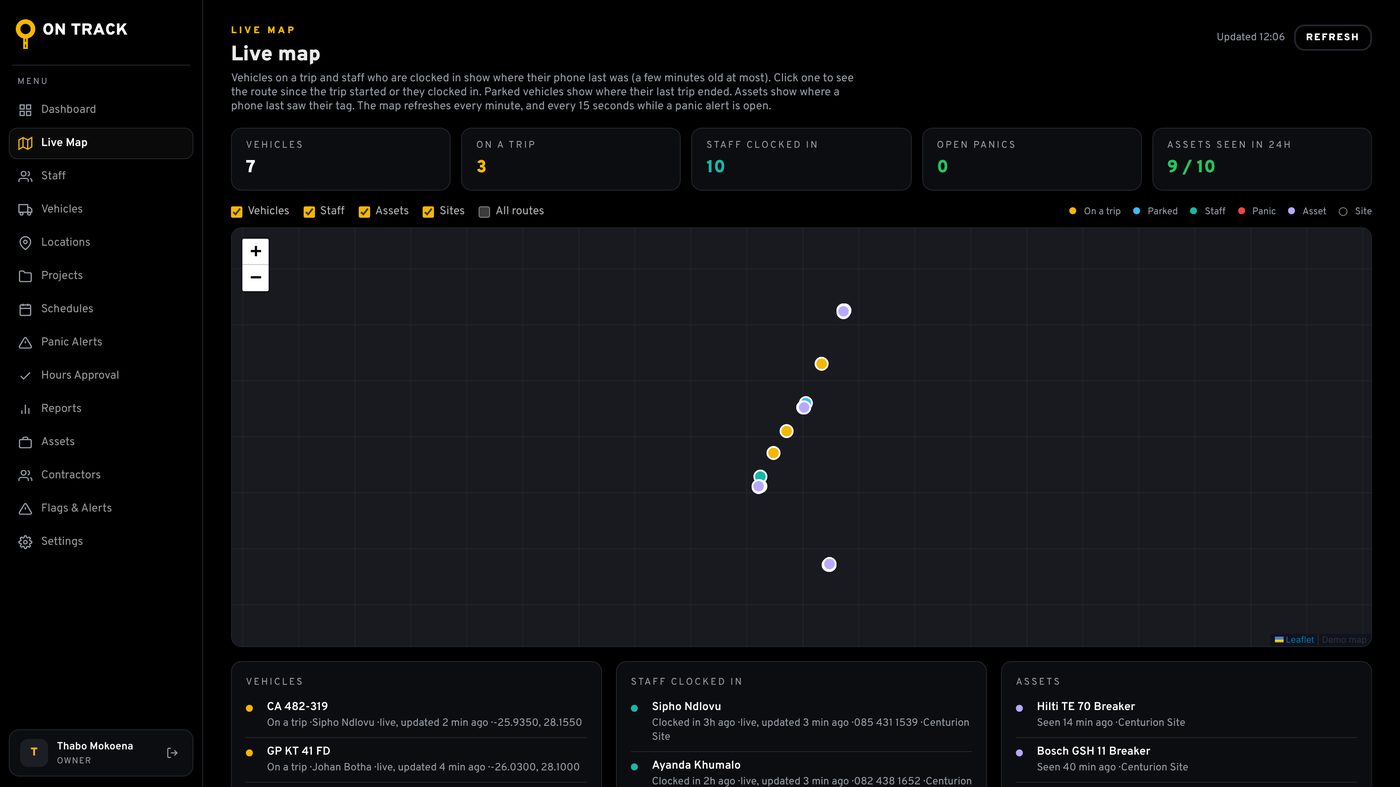
Put a small Bluetooth tag on tools, equipment and containers. Phones running the app pick up nearby tags and report where they are.
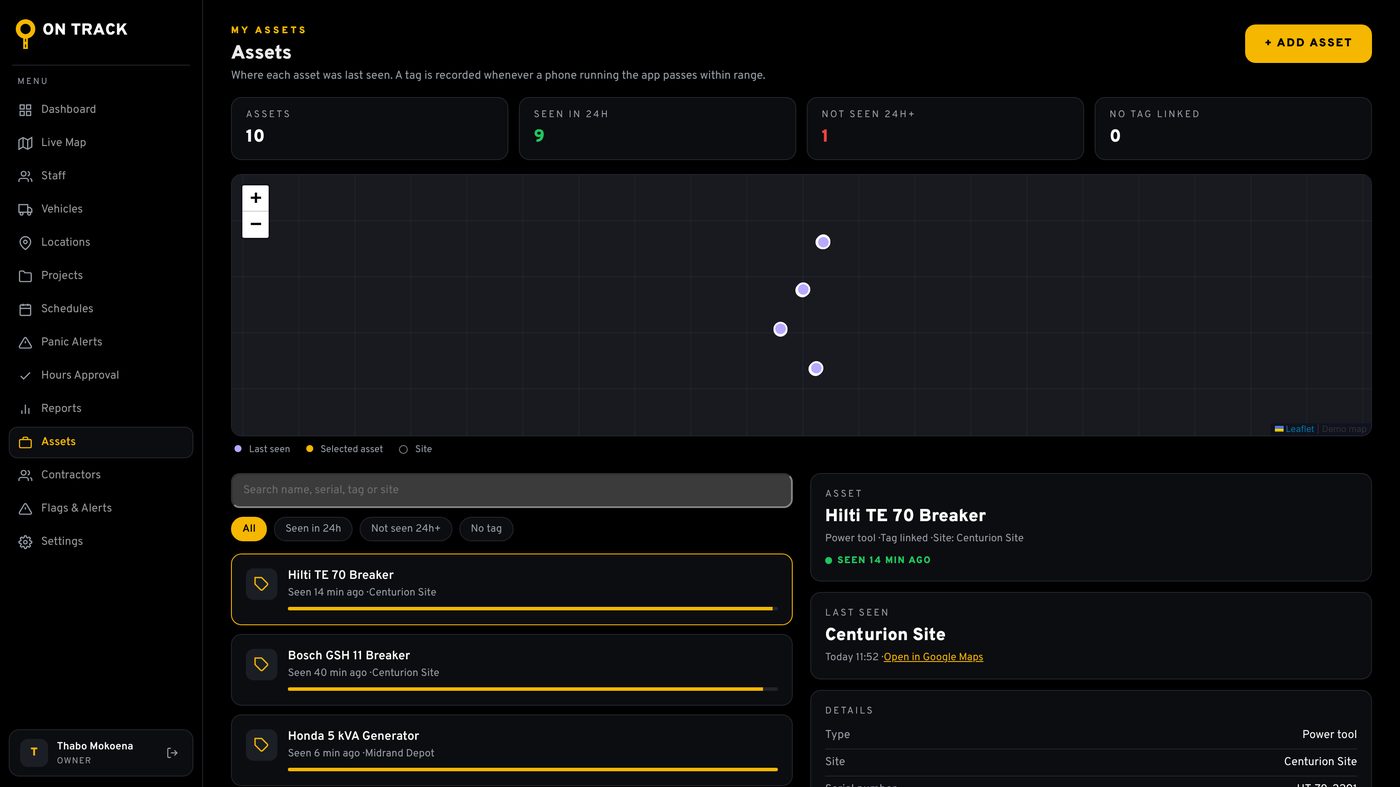
Staff, vehicles, sites, projects and contractors in one place, in any browser.
Hours, trips and assets, downloaded as PDF or CSV for payroll or your client.
Clock ins away from site and panic alerts show on the dashboard straight away.
Staff hear about new shifts on their phone and answer in the app.
Each company only ever sees its own people, vehicles and assets.
Personal information is handled under POPIA, with nightly backups.
Any business with people out of the office, vehicles on the road or equipment on sites.
Guards clock in at the post, panic alerts reach managers at once, and patrol vehicles are logged.
Hours by project, staff on the right site, and tools and plant tagged so they come back.
Teams spread over many sites, with proof they were there and hours that add up.
See where each machine was last seen and which site it belongs to.
Technicians in company vehicles, with every trip and odometer reading recorded.
Approved hours turn into contractor invoices without retyping.
Pricing depends on the plan and the size of your team. Email us for a quote.
| AssetsEquipment only | FleetVehicles and equipment | FullEverything | |
|---|---|---|---|
| Assets with Bluetooth tags, last seen and history | |||
| Sites, map and reports | |||
| Vehicle trips, photos and odometer | |||
| GPS clock in and hours approval | |||
| Schedules, projects and contractors | |||
| Panic alerts |
Not yet. The app is for Android phones for now, and an iPhone app is planned. Managers can use the web console on any computer or phone browser.
It depends on the plan and how many people and assets you have. Email us and we will send you a quote.
It will be. Until then you download it from this page and install it in a few taps.
Only your company. Each company only sees its own people, vehicles and assets, and personal information is handled under POPIA. Read the privacy notice.
Email us and we will set up a demo for your team.